Google Search Console is the tool that bridges the gap between Google’s bots and human internet users. But how do you use it well?

So what exactly is Google Search Console?
Google Search Console (GSC to its fans) is often mentioned by experts in digital marketing, SEO, SEA and analytics. Sometimes criticised, often praised, this Google tool helps webmasters with their work. To use it, you first have to verify your site using one of several possible methods. The purpose is to prove to Google that you really are the owner of the site in question. Once this step is done, you have access to a wealth of data: qualitative, such as the queries people typed to find your site, and quantitative, such as the number of those queries. Google Search Console also tells you precisely where your site ranks in the search results pages for each phrase. It is a tool that gives its users a huge range of data to optimise and manage their own website or a client’s.
What is Google Search Console used for?
Google Search Console is a real Swiss Army knife for monitoring and optimising your website. It gives you access to a vast range of data for carrying out a whole host of tasks: tasks we carry out every day on the sites we optimise and want to see perform. Not only does Google Search Console provide invaluable help in keeping an eye on your site’s rankings and seeing whether they are rising or falling, it also helps you make substantial changes to your site with the ultimate goal of appearing at the very top of the search results.
Want to know the position of a page on your site for a specific query in a particular country? GSC gives it to you, and lets you choose the time period. Want to check whether your sitemap is up to date and when Google last crawled it? Search Console will tell you. It covers a huge number of key topics for optimising traffic from search engines: the robots.txt file, backlinks, link anchors, security, indexing and AMP. GSC will let you know if your site is under attack, or if it has mobile usability or performance issues.
Google Search Console tells you almost everything about your SEO (organic search, or search engine marketing), but looking at the data in pretty tables isn’t enough. Our job at Digital Cuts is to put that data to work to boost traffic, engagement, leads and sales by improving the structure and content of websites, among other things.
A tool packed with SEO tips, and more besides...
You often read and hear that Google Search Console helps you optimise your SEO (Search Engine Optimisation), and it’s true. For example, having access to the queries for which your site appears in the search results is essential for optimising your content and its key phrases. A basic but fundamental technique for any SEO strategy. It’s up to us to use it to optimise content, for human readers but also for Google’s bots. Tracking your rankings lets you work out whether an action taken on your site has had a positive or negative impact on your SEO. GSC shows the CTR (click-through rate). A rate of 5%, for example, means that out of 100 people who saw the site’s listing in the search results, 5 clicked on it. CTR is a very powerful indicator for optimising how your listings appear in search engine results (notably titles, known as title tags, and description text). For SEA (Search Engine Advertising), or paid search, similar techniques can be applied to optimise your ads and the price paid for each one.
An overview of Search Console features and the tips they offer to improve your SEO
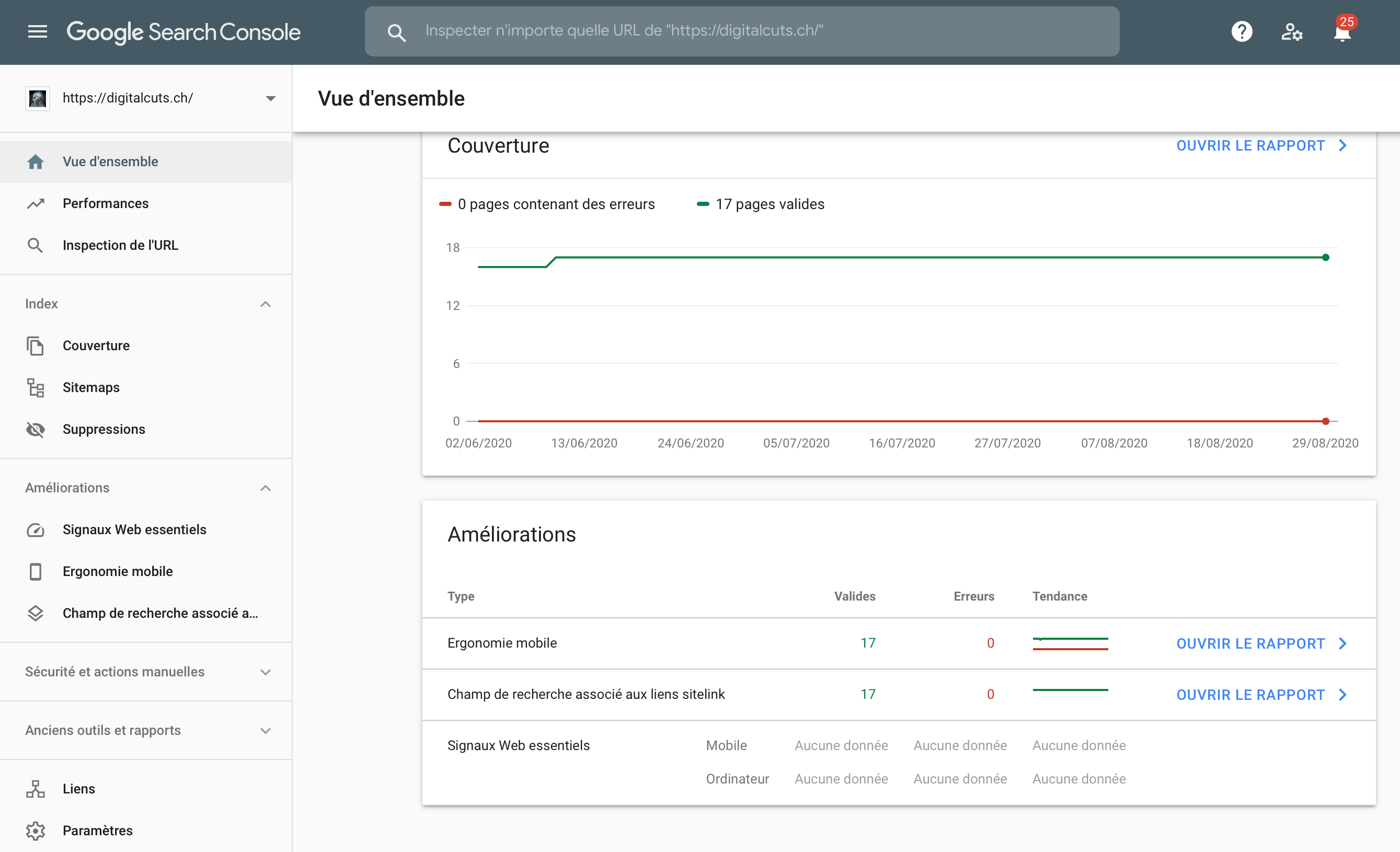
So what does Google Search Console actually let you do? It offers not only performance analysis tools, but also technical features for taking action directly with the bots. Search Console is the way to communicate with Google’s bots and, as a result, improve your visibility in Google searches.
Performance tracking
First, Search Console provides SEO performance analysis reports. Finding out the number of impressions, the number of clicks or the position of a particular page in the search results is easy with Search Console. You can even assess the performance of a particular page on your site for a particular query. There’s nothing better for measuring your SEO work, but also, and above all, for seizing opportunities. What’s more, this section also gives you the exact queries people typed that made your pages appear in the SERPs, and those that led to clicks. This gives you clues for working important queries into your content, and for optimising pages that don’t rank for relevant queries.
Manual indexing
Probably the most useful and accessible feature is the option Search Console gives you to ask Google to index a page on your site. New site, new content? Google is likely to take a while at first to discover and visit your site (what is known as crawling) and index its content. With Search Console, you can ask the bot to speed up this process.
Page coverage in Google’s index
Another analysis feature for improving your SEO, this section shows you which pages Google has chosen to index, and also those it has decided not to. Another strength of this data is that you can find out why, and see the errors Google encountered while crawling. Using these reports, we can quickly tell whether or not Google properly understands the site. A good practice is to optimise your crawl budget by indexing only high-quality pages, and to check whether good-quality pages are being excluded by Google. If so, we request indexing, or take other action if the error lies elsewhere.
User experience, site speed and mobile-friendliness
Google is placing ever more emphasis on criteria that favour user experience (UX). These can include ease of navigation, page speed and mobile-friendliness. Google Search Console gives you insights into these criteria, such as pages that are too slow and pages that aren’t responsive. So we can quickly find out which pages are causing problems and why, and make the necessary optimisations. Google’s bots (and your users) will appreciate it.
Link network analysis (backlinks and internal linking)
Links pointing from other sites to yours, also known as backlinks, are a vital SEO signal. However, they have become increasingly complex, as it is no longer just the quantity of links that counts, but their quality. To audit your backlinks, there’s nothing better than Google Search Console. Its links report shows you all the links pointing to your site. You may well be surprised, spotting toxic links and perhaps the work still to be done on acquiring new ones. As well as external links, you also get data on your internal links (internal linking). Optimising your internal linking well, by linking to good-quality pages within the text of your pages or articles, is very powerful in organic search for improving your ranking in search engines.
The robots.txt file and sitemap submission
At the heart of Search Console and its features, you can submit to Google two small files intended only for bots (not users). These two files, the sitemap and robots.txt, must be at the root of the website in question and help optimise Google’s crawl. Through these files, we can tell Google about our site’s structure, its important pages and also the pages that will be of no use to it. This work optimises how Google indexes and understands your website.
Other features
On top of the features described above, Search Console offers a host of other possibilities. For example, you can check whether your site has received a manual penalty from Google, and find out whether it has a security issue. Beyond that, you can get statistics on crawling (Google’s crawl), the quality and correct structure of your product pages if you have any, any issues with your breadcrumbs, and even the logos on your website. In short, there’s no end to what Search Console can do, and we definitely can’t do without it.
Even more powerful combined with other tools and analysis
Knowing how to use and make the most of Google Search Console is good, but not enough. Ideally, you should complement it with a more detailed analysis of data from the Google Analytics platform: a tool Google developed to track the traffic to your own website, its sources and how your audience behaves on the site. With this tool, we enrich the data provided by GSC even further. The key is not to use these two platforms independently but to link them, to avoid as much bias as possible. With Analytics, we measure. With Google Search Console, we optimise. By combining both tools and their data, we put it all to work for better performance.